Astronomy Observation Planner
Astronomy Observation Planner for macOS · version 23.0 (114) · Apple silicon only
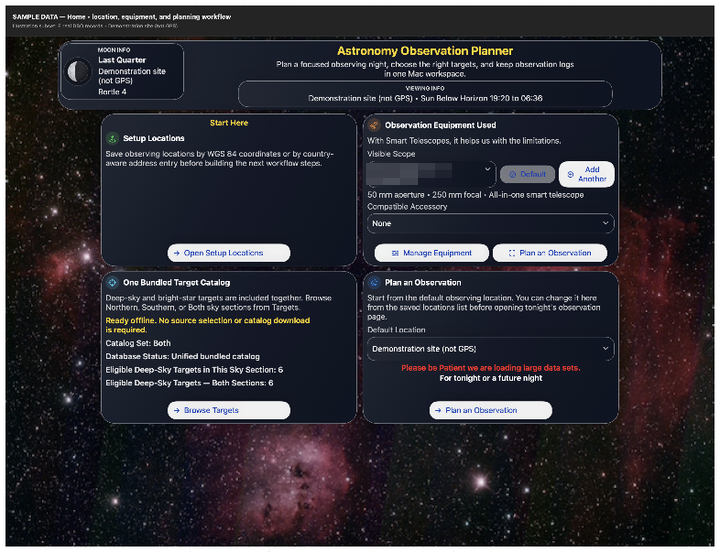
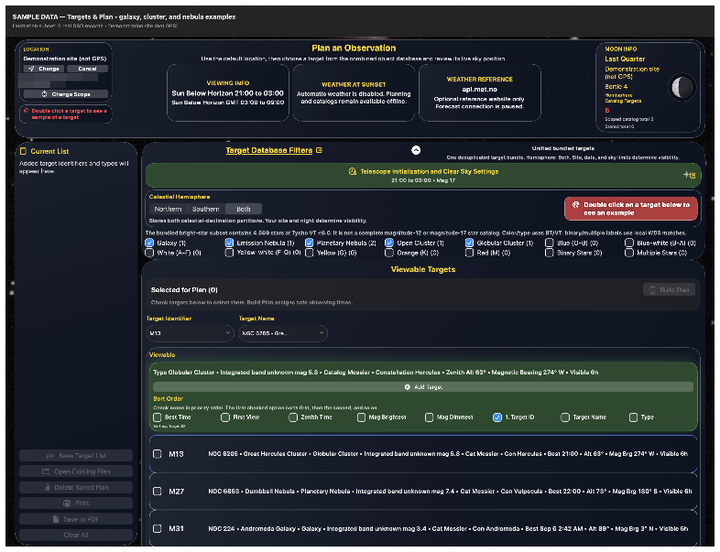
Save observing sites, choose your smart telescope and accessories, filter a bundled catalog by visibility and magnitude, and build a timed plan in which each target starts when the one before it ends. Astronomy Observation Planner for iOS is the same planner on iPhone and iPad, also version 23.0 (114). On the App Store that listing is Smart Telescope Planner, and the app is named BigSky Planner on the device.
Supported smart telescopes: Celestron Origin Mark II; DWARFLAB DWARF 3, DWARF II, DWARF mini and Draco; Unistellar eVscope, eVscope 2, eQuinox, eQuinox 2, Odyssey and Odyssey Pro; Vaonis Stellina, Hyperia, Vespera, Vespera II, Vespera II X Edition, Vespera 3, Vespera Pro and Vespera Pro 2; ZWO Seestar S30, S30 Pro, S50 and S50 Pro. Also works with any alt-az mount that calculates its own location.
New telescopes: DWARF Draco and Seestar S50 Pro are in the telescope list in version 23.0 (114).
On the Mac App Store: version 23.0 (114). Apple silicon only. On Macs that can run macOS 27 it runs on macOS 14 and later, including macOS Tahoe and macOS 27. It does not run on Intel Macs. Sky Track is the new look. Build Plan overlaps Clear Sky time, and Balance Plan and Use Priority set the time shares. Free to download with a 20-day free trial. Full Access is a one-time purchase ($12.99 in the US). If you bought the app, you keep Full Access.
Mac App Store 23.0 (114) Mac manual (PDF), Version 23.0 (114) iPhone and iPad version Windows version (coming) Planner feedback